Session lets you offer simple % or $ discounts right from your account — great for early-bird promos, VIP clients, or filling the last mini slot.
 Where to find coupons
- Go to Manage in the top nav.
- Click Coupons.
- You’ll see your list of Active coupons and a button to + New coupon.
How to create a coupon
- Click + New coupon.
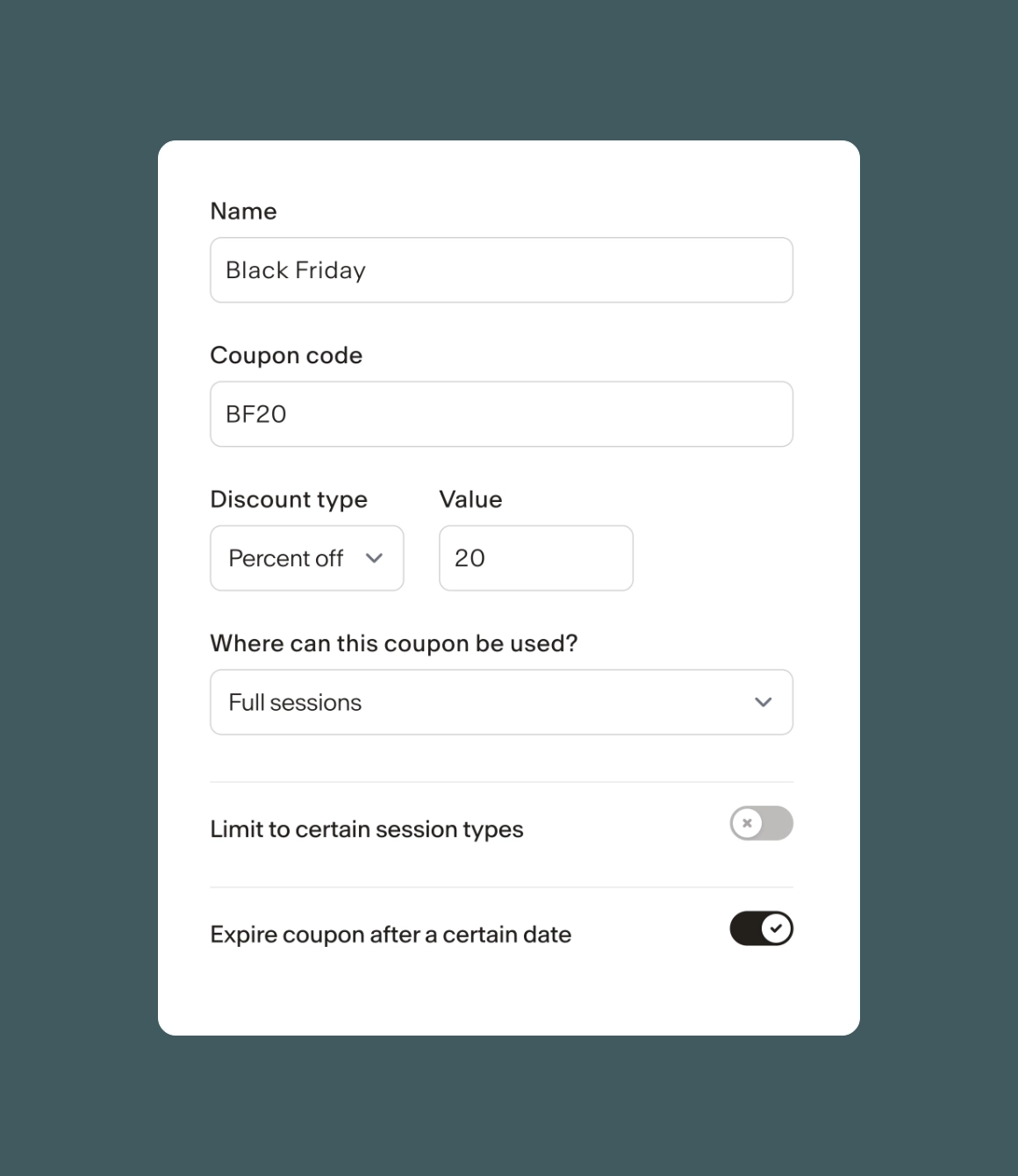
- Name – this is for you (e.g. “Spring Sale” or “VIP Client”).
- Coupon code – what your client will type in at checkout (e.g. SPRING20).
- Discount type – choose Percent off (like 20%) or Amount off (like $25).
- Where can this coupon be used? – apply it to all sessions or limit it to specific session types/minis.
- (Optional) Expire coupon after a certain date – turn this on to make it time-limited.
- (Optional) Limit the total number of times – handy for “first 5 people only.”
- Click Save.
The coupon will now show up in your Active list, with the code, value, number of uses, and whether it expires.
How clients use coupons
- Clients enter the code on the booking/checkout page.
- Session applies the discount automatically based on the rules you set.
Good to know
- You can create as many coupons as you need.
- You can see Uses right in the coupons list so you know what’s working.
- If you don’t want a coupon to be used anymore, just edit it and set an expiry/limit.